Modules / Productie
A branded portal for every customer relationship.
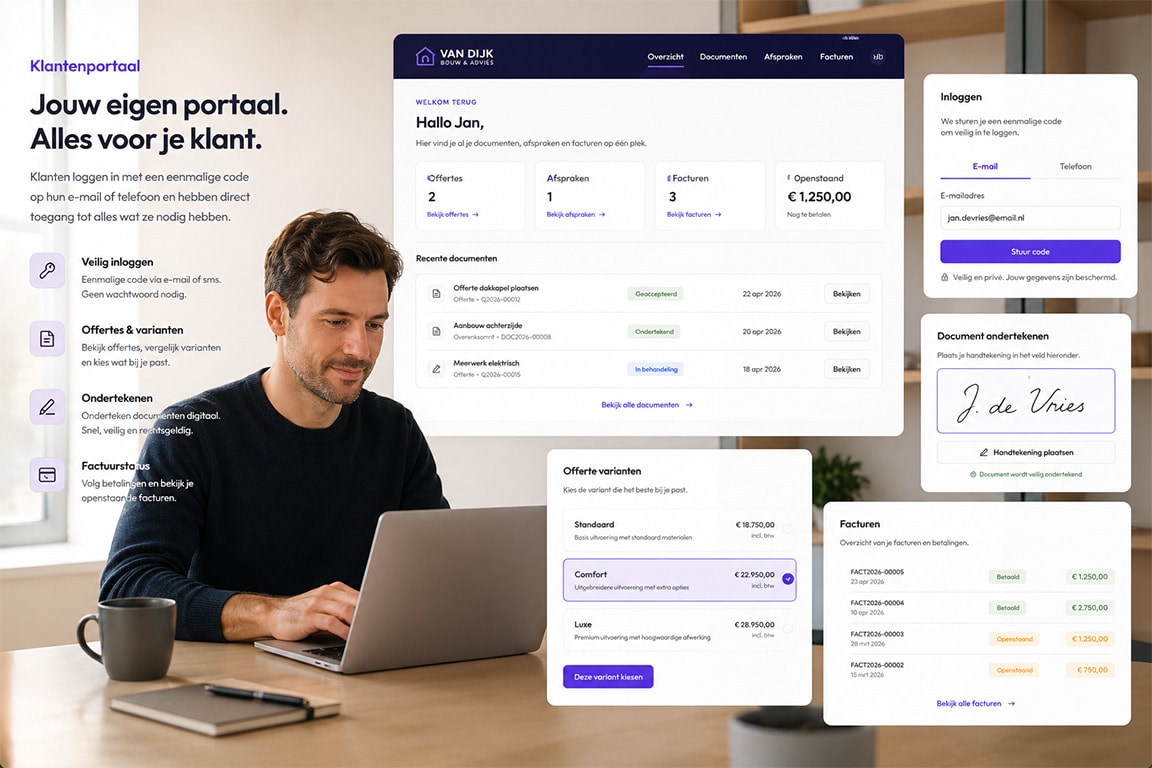
Customers sign in securely with a one-time code and only see what you make available.
Review, accept or reject quotes; open and pay invoices; follow and manage appointments.
Booking, appointments, documents and customer data come together in a white-label surface.
Not a separate customer portal beside your stack, but the same dossiers and permissions SideIQ already understands.
What you get
01
A customer-facing workspace without extra accounts.
The SideIQ customer portal gives external contacts secure access to the exact surfaces that matter to them. OTP and sessions control access, while scopes decide which tabs and actions are visible.
02
OTP login
customers request a code by email and enter without a full account
03
Quotes
review, preview, accept or reject quotes from the portal
04
Invoices
follow invoice status, view PDFs and start payment flows
05
Appointments
see upcoming and past appointments with detail, location and customer actions
06
Portal booking
choose available scheduler pages and book a slot directly
07
Own branding
logo, colours, portal slug and host configuration match your brand
08
Scope-based access
decide per link or session whether invoices, quotes, appointments, scheduling or entities are visible
MODULE · CUSTOMER PORTAL
Klantportaal geeft klanten toegang tot documenten, afspraken, offertes, facturen, dossiers en acties zonder dat je team context moet overtypen.
Why this is different
How portals often work
Most customer portals are separate environments where invoices, documents or tickets are synchronized again. That quickly creates status drift, duplicate uploads and limited context.
How SideIQ structures it
The portal uses the same customer relationship, the same scopes and the same underlying records. A quote acceptance, invoice payment or appointment confirmation belongs directly to the dossier your team already works in.
What you gain
Customers get self-service without you losing control. You decide access, branding and available actions; SideIQ protects sessions, scopes and tenant isolation.
Why this is necessary
Your customer wants clarity without additional contact moments
Without a connected customer portal, your team must continue to share a lot of information manually. Customers ask for status, documents, appointments, invoices, reports or signatures, while that information often already exists internally.
That is exactly where separate portals fall short. They give customers an entrance, but are often next to the real thing. As a result, your team still has to synchronize, check and follow up. Once customer actions live outside SideIQ, the system loses context about what the customer saw, did, or requested.
SideIQ therefore makes the customer portal part of the Business Operating System. Customer access, documents, appointments, quotes, invoices, signing and actions remain connected to the same files and workflows. The more customer interaction runs through SideIQ, the better SideIQ Intelligence understands what is open, what the customer is waiting for and what follow-up makes sense. This way you give customers more control, without losing control or context.
Examples
Quote flow
review a quote, compare variants and send back acceptance or rejection
Invoice flow
see open amounts, payment status and payment options from one tab
Appointment flow
view details, confirm, cancel or request a reschedule
Booking flow
choose a meeting type and book an available slot directly
Customer data
view portal-enabled entities through the same card components used internally