Modules / Productie
Capture what your team knows. Use it where work happens.
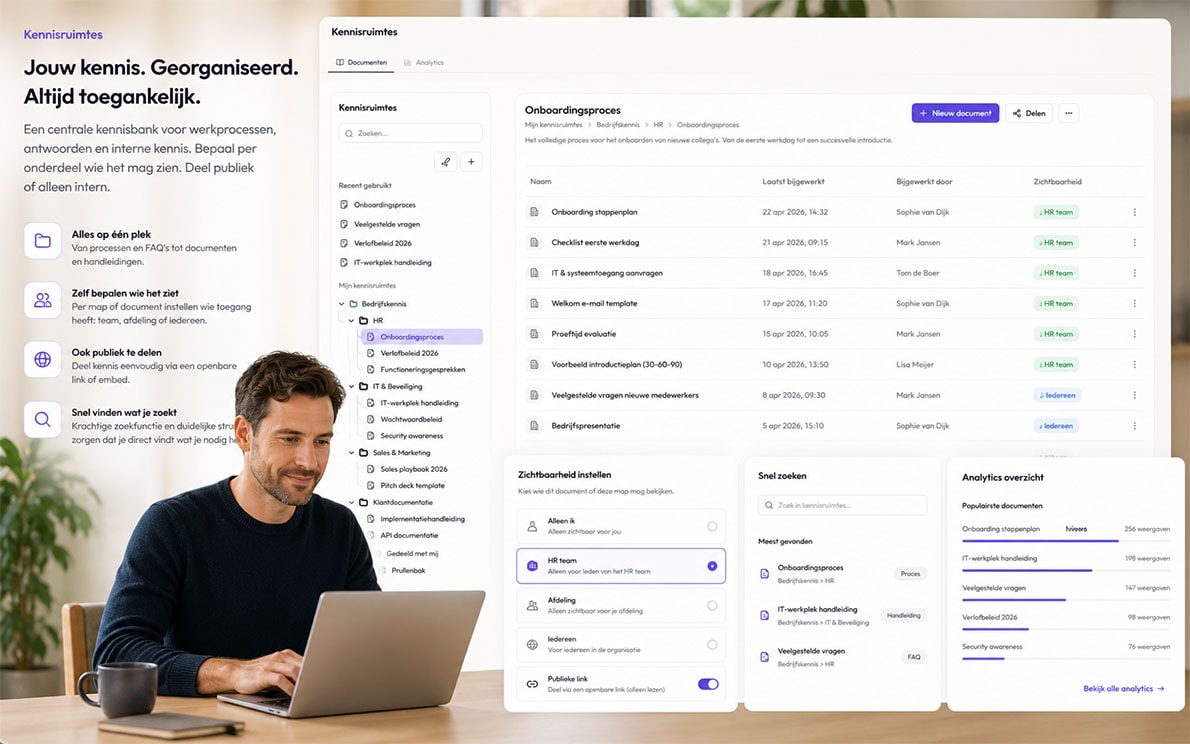
A Notion-like knowledge base inside SideIQ for processes, scripts, answers and internal documentation.
Work with personal and team knowledge, folders, documents, rich text and fast search.
Recent items, revision history and sharing keep knowledge findable instead of buried.
Built as an AI-ready knowledge layer for conversations, customer context and future realtime suggestions.
What you get
01
A knowledge base that grows with your operating rhythm.
Knowledge spaces hold everything your team needs repeatedly: playbooks, FAQs, call scripts, onboarding material and internal agreements. Not as a detached wiki, but next to customers, communication and AI context.
02
Folders and documents
structure processes, scripts and notes hierarchically
03
Personal and team scopes
switch between private knowledge and shared organization knowledge
04
Rich text editor
write with headings, lists, tables, links, code blocks and media
05
Auto-save
changes persist automatically while people write
06
Search and recent items
recover documents through search, tree navigation and recent activity
07
Sharing and export
copy links, share with others and move toward document or contract flows
08
Revision history
see who changed what and when
MODULE · KNOWLEDGE SPACES
Kennisruimtes bundelen bedrijfskennis, scripts, documenten en context zodat teams en SideIQ Intelligence vanuit dezelfde waarheid werken.
Why this is different
What teams usually tolerate
Knowledge drifts across Notion, Google Docs, PDFs and Slack threads. During customer work someone still has to search, copy or ask a colleague where the right answer lives.
How SideIQ handles it
Knowledge spaces live in the same workspace as CRM, conversations, documents and AI. The knowledge base is multi-tenant, scoped per user or organization, and ready to become part of daily assistance through analytics and embeddings.
What the team gains
Your team builds one shared memory: findable, reusable and available when the customer question arrives. Knowledge stops being an archive and becomes operational context.
Why this is necessary
AI is only as good as your knowledge layer
Without central knowledge areas, your team has to keep looking for what is right. Information is in old documents, individual chats, personal notes, shared folders or in the head of a colleague. As a result, the customer does not always get the same answer and your team has to manually restore a lot of knowledge.
That is exactly where individual knowledge bases fall short. They store information, but are often separate from customer conversations, files, documents and workflows. Once knowledge lives outside SideIQ, the system loses context about when that knowledge is needed and which version is reliable.
SideIQ therefore makes knowledge part of the Business Operating System. Knowledge spaces, documents, customer context and AI assistance work from the same basis. The more relevant knowledge is available in SideIQ, the better SideIQ Intelligence can prepare, respond, signal and support actions. This way you do not build an archive, but a shared corporate memory that can be used every day.
Examples
Call scripts
answers and objection handling that can surface during customer conversations
Operating playbooks
step-by-step guidance for sales, support, service and handover
Onboarding
internal guides, templates and explanations for new colleagues
Customer knowledge
reusable answers and explanations that later feed mail, documents or portals